
Where you already look
Home screen widgets in three sizes, a lock screen widget and a Wear OS tile. Mark a word known without opening the app.
Free on iPhone and Android
A CEFR-graded word with translation, audio and an example sentence, waiting on your home screen, lock screen or watch.
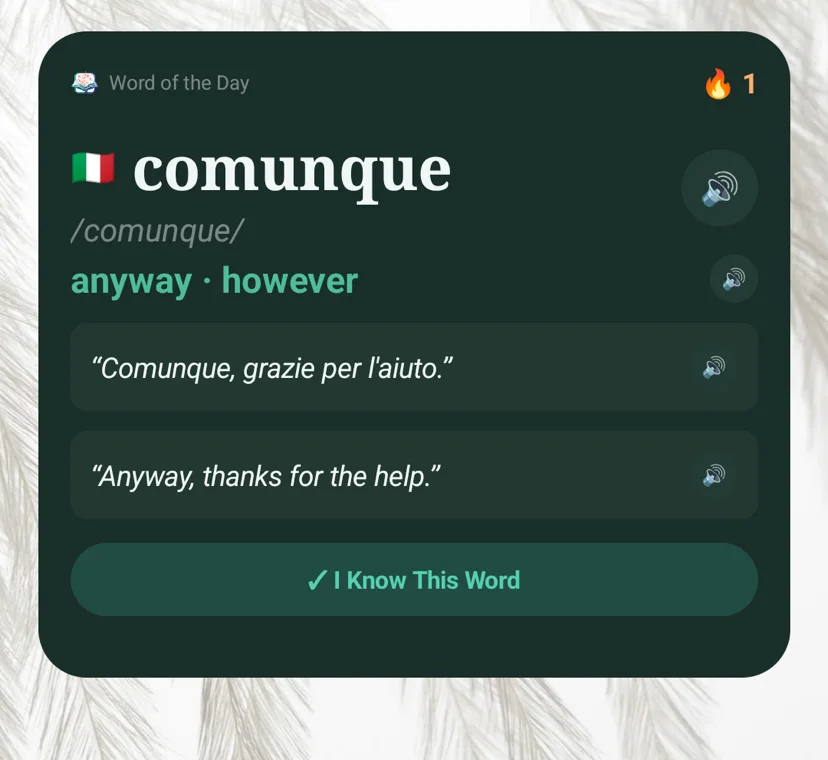
comunque
[comunque]
anyway, however
大丈夫
alright
madrugada
[madrugada]
early morning, dawn
спасибо
thank you
flâner
[flâner]
to stroll, to wander
사랑
love
gemütlich
[gemütlich]
cozy
加油
to cheer on
괜찮다
to be alright
magari
[magari]
maybe, if only
saudade
[saudade]
longing, missing someone
bientôt
soon
trotzdem
[trotzdem]
nevertheless
大丈夫
alright
aprovechar
[aprovechar]
to make the most of
comunque
anyway
gemütlich
[gemütlich]
cozy
加油
to cheer on
사랑
[sarang]
love
madrugada
early morning
спасибо
[spasibo]
thank you
괜찮다
to be alright
flâner
[flâner]
to stroll, to wander
magari
maybe
The widget starts the habit. The app behind it makes the words stick.
Home screen widgets in three sizes, a lock screen widget and a Wear OS tile. Mark a word known without opening the app.
Words return on a spaced-repetition schedule. The Memory Map shows what is solid, what is fading and what is due.
Immersion Mode marks every word you know in an article, a menu or a message, and saves the rest for review.
Se levantó a la madrugada para ir a trabajar. Todavía no he terminado mi tarea.
73%of this text is already yours
A daily session in five steps. It runs on your phone and works offline.
AI word help answers what a dictionary entry leaves out. Part of Premium on Android.
Guided routes through the words you need to travel, eat out or start a new job.
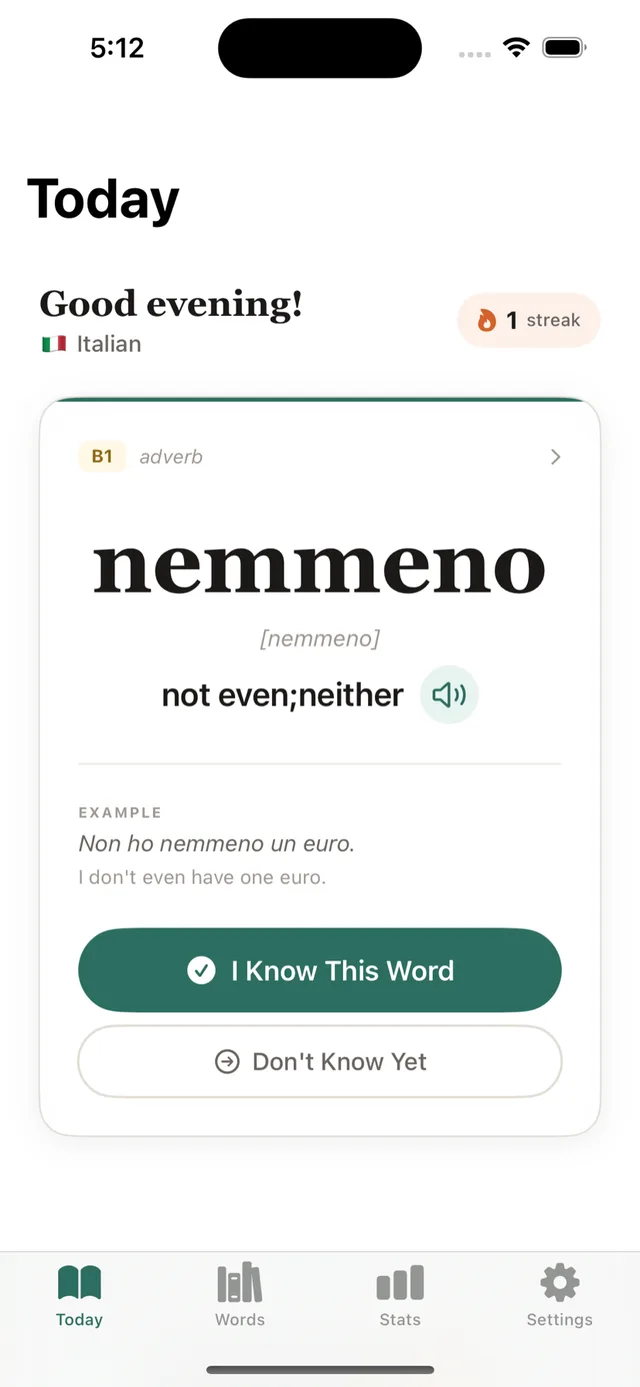
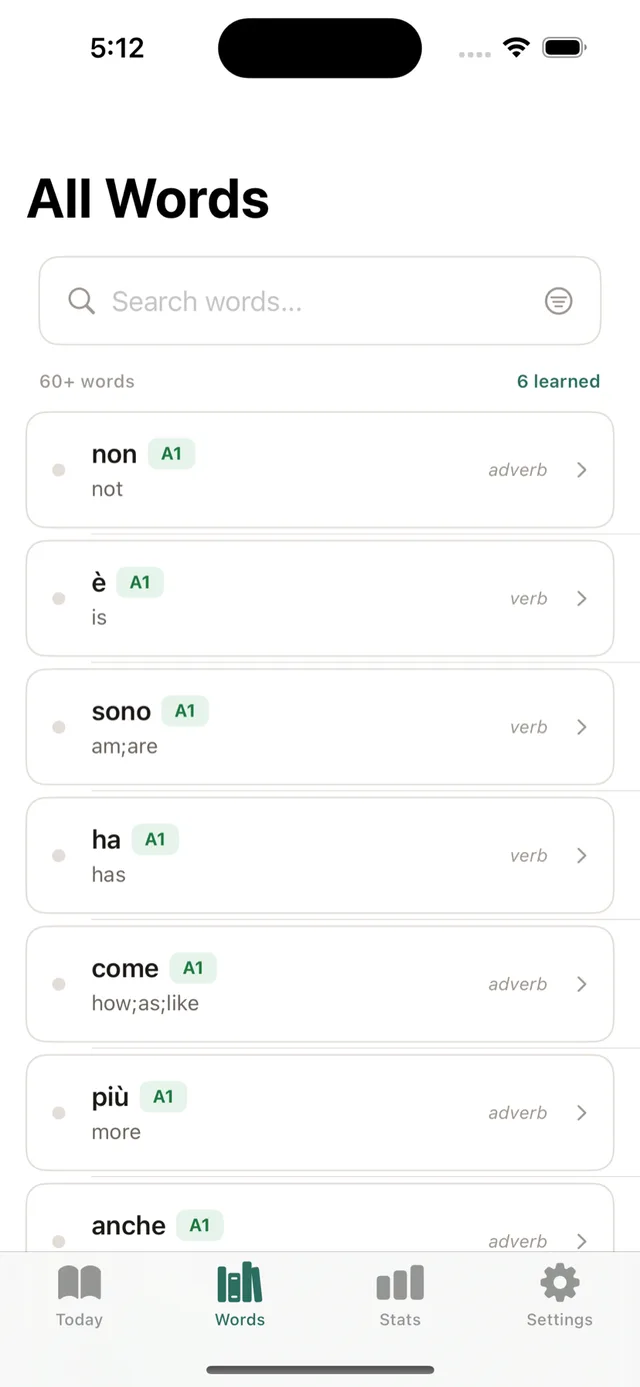
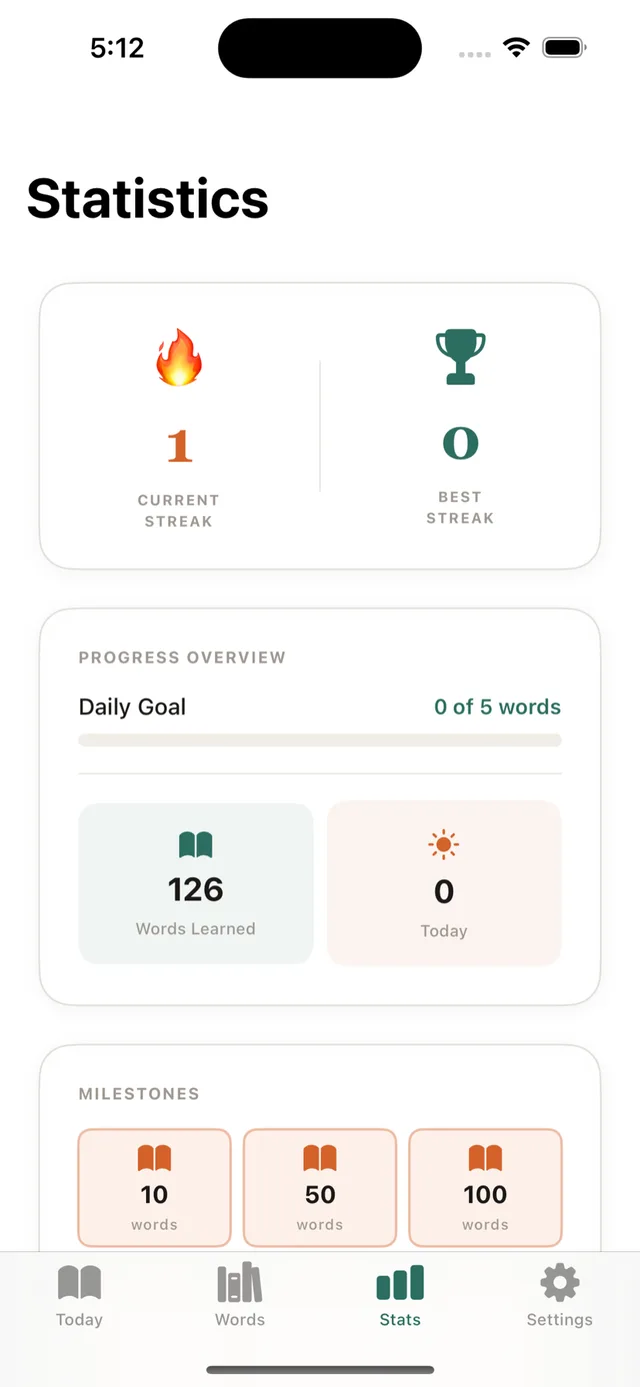
Choose one of 10 languages and set your CEFR level, from A1 to C2. You can change either at any time.
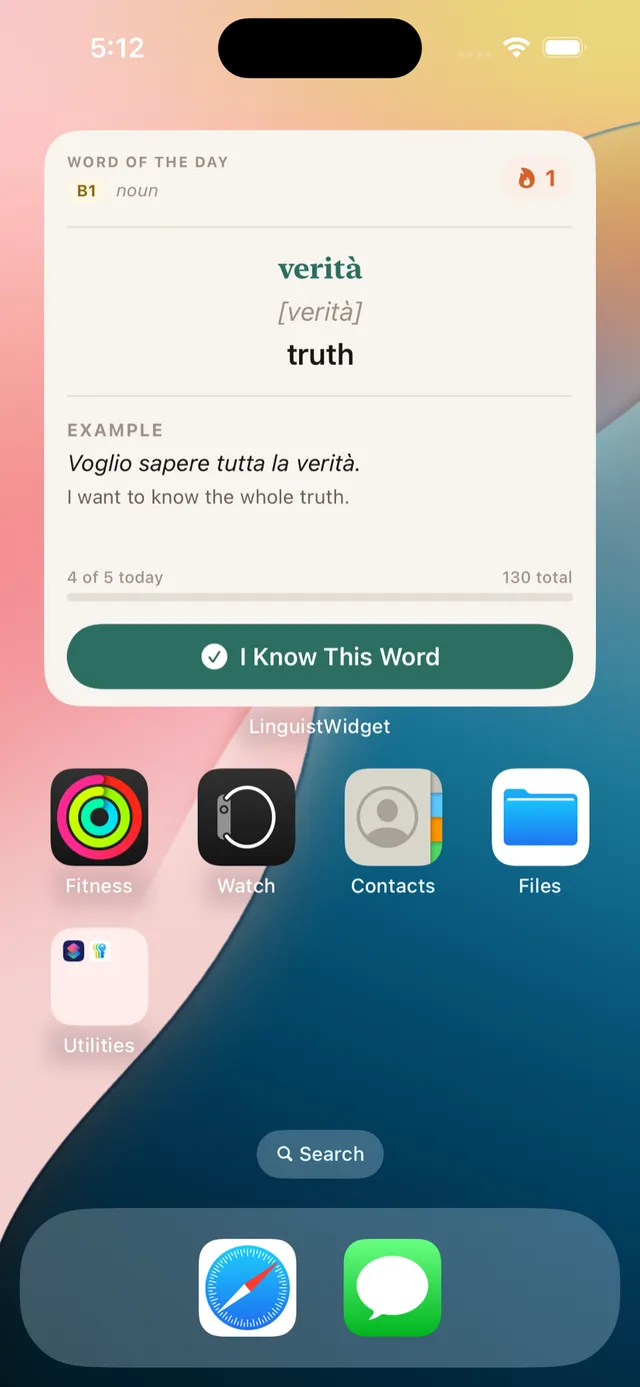
Long-press your home screen. On iPhone tap the plus button, on Android open Widgets, then place LinguistWidget where you will see it.
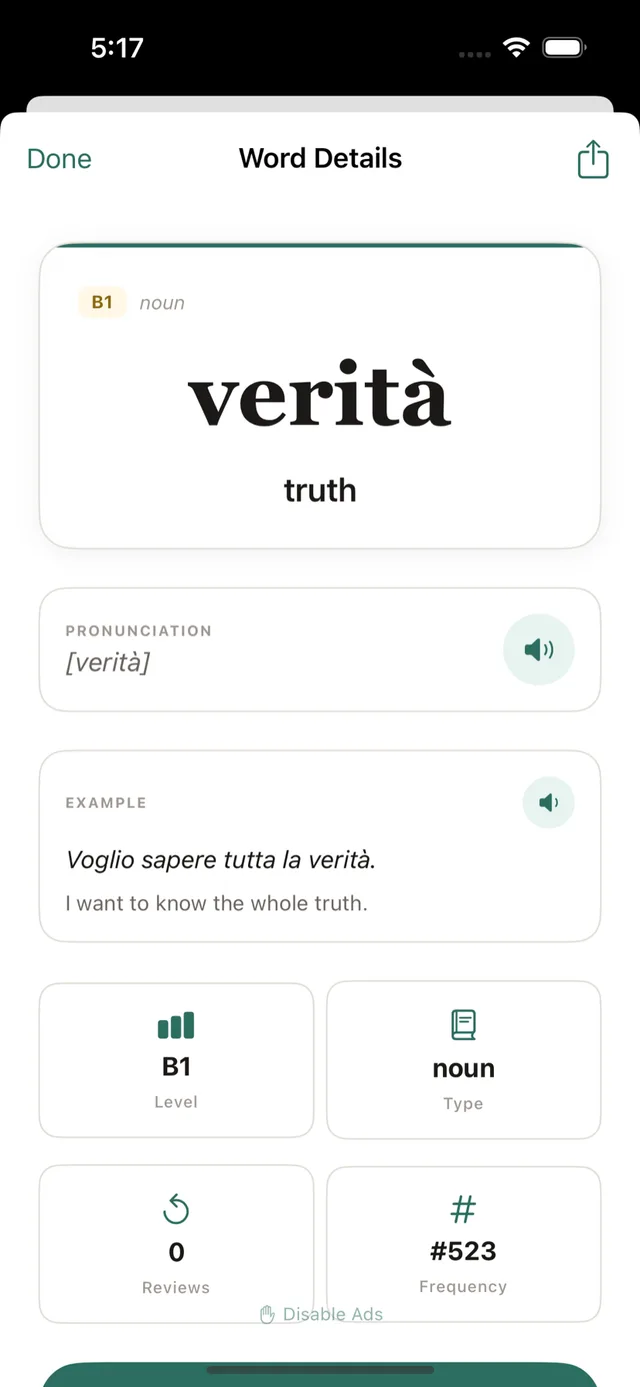
Tap I Know This Word when a word sticks. Anything you are unsure of comes back later as a review.
This is the widget with the app's nine themes and seven accent colors. Tap the button to see the next word.
Word of the day
B1adverb
comunque
[comunque]
anyway, however
Comunque, grazie per l'aiuto.
Anyway, thanks for the help.
Every entry has a translation, an example sentence and audio. Japanese comes as Hiragana, Katakana and Kanji tracks, and Portuguese covers Brazil and Portugal.
No word, language or level sits behind a paywall. The free version is supported by ads.
Everything you need to build the habit.
One yearly subscription, cancel any time.
Premium is bought inside the app through Google Play or the App Store, and the price for your country is shown there before you pay. On iPhone the yearly plan removes ads; the other extras listed are part of Premium on Android.
Something else on your mind? The support page has setup help and a way to reach us.
Yes. LinguistWidget is free to download and free to learn with. The daily word, every language and CEFR level, the widgets, spaced-repetition reviews, the daily practice session and your statistics cost nothing. The free version shows ads. An optional yearly subscription removes them, and on Android it also unlocks Premium extras: AI word help, Polyglot Mode, a daily conversation scenario and photo backgrounds for the widget.
LinguistWidget teaches 10 languages: Spanish, French, German, Italian, Portuguese, Russian, Arabic, Japanese, Mandarin Chinese and Korean. Japanese comes as three separate tracks (Hiragana, Katakana and Kanji) and Portuguese covers both Brazil and Portugal. Every language is graded from A1 to C2.
Install the app, pick a language and level, then add the widget. On iPhone, long-press the home screen, tap the plus button and search for LinguistWidget. On Android, long-press the home screen, open Widgets and drag LinguistWidget into place. The widget shows a new word each day with its translation and an example sentence, and you can mark the word as known without opening the app.
Yes. Under Settings, Customize Widget, you can choose from nine themes and seven accent colors, set a photo background, pick which parts of speech the widget shows (nouns, verbs, adjectives, adverbs) and turn on a quick quiz. The widget comes in small, medium and large sizes.
Yes. On iPhone there is a Lock Screen widget. On Android there is a compact one-row widget and an optional lock-screen card. On Wear OS, LinguistWidget adds a watch widget and Tile that show today's word, its translation, your CEFR level and your streak, synced from the phone app.
Yes. The word lists, translations, example sentences, reviews and the daily practice session are stored on your phone and work with no connection. Pronunciation uses your phone's text-to-speech voices. On Android, AI word help needs an internet connection.
Words you have not marked as known come back for review on a spaced-repetition schedule, timed for when you are about to forget them. The Memory Map on the Statistics screen groups your vocabulary by CEFR level and colors each word by how well you retain it, so you can see what is solid and what is due.
Practice is a daily speaking session of about five minutes. It has five steps: Listen, Repeat, Answer, Free Speak and Review. It runs on your device and works offline. Premium on Android adds a new conversation scenario every day, matched to your CEFR level.
Immersion Mode lets you paste real text, such as an article or a menu, and shows what percentage of it you can already read. Unknown words are highlighted so you can save them for review. Learning Paths are guided routes through the vocabulary for a specific situation, such as getting around abroad, ordering at a restaurant or a first day at work.
Yes. Polyglot Mode lets you study up to five languages side by side. Each language keeps its own word of the day and its own review schedule, and the widget can show a second language or rotate between them daily. On Android, Polyglot Mode is part of Premium.
Each day the app picks a word you have not seen yet at the CEFR level you chose, from word lists of more than 200,000 graded entries across all languages. Words you mark as known leave the rotation. Words you are unsure of return later as reviews.
LinguistWidget runs on iPhone and iPad with iOS 17 or later, on Android phones and tablets with Android 7.0 or later, and on Wear OS 4 or later watches paired with the Android app.
Your progress is stored on your device and is included in your phone's standard backup and device-to-device transfer. LinguistWidget does not require an account.

Install the app, add the widget, and the first word is there the next time you unlock your phone.
LinguistWidget is a vocabulary app for iPhone, iPad and Android that teaches one new word a day through a home screen widget. Each word comes with its translation, pronunciation audio and an example sentence, and you can mark it as known from the widget without opening the app.
It covers 10 languages: Spanish, French, German, Italian, Portuguese, Russian, Arabic, Japanese, Mandarin Chinese and Korean. Every word is graded on the CEFR scale from A1 to C2, so the app only shows vocabulary at the level you chose. The word lists are stored on your device and work offline.
Beyond the daily word, the app schedules reviews with spaced repetition, runs a five-minute daily speaking session, measures how much of a pasted text you can read with Immersion Mode, and tracks your streak and progress. It is free to use with ads, and an optional yearly subscription removes them.
LinguistWidget is a vocabulary tool, not a full language course. It works well next to a course app such as Duolingo or Babbel, and it is a ready-made alternative to building your own Anki decks.